Micro USB: Everything You Need to Know Before You Buy, Replace, or Upgrade
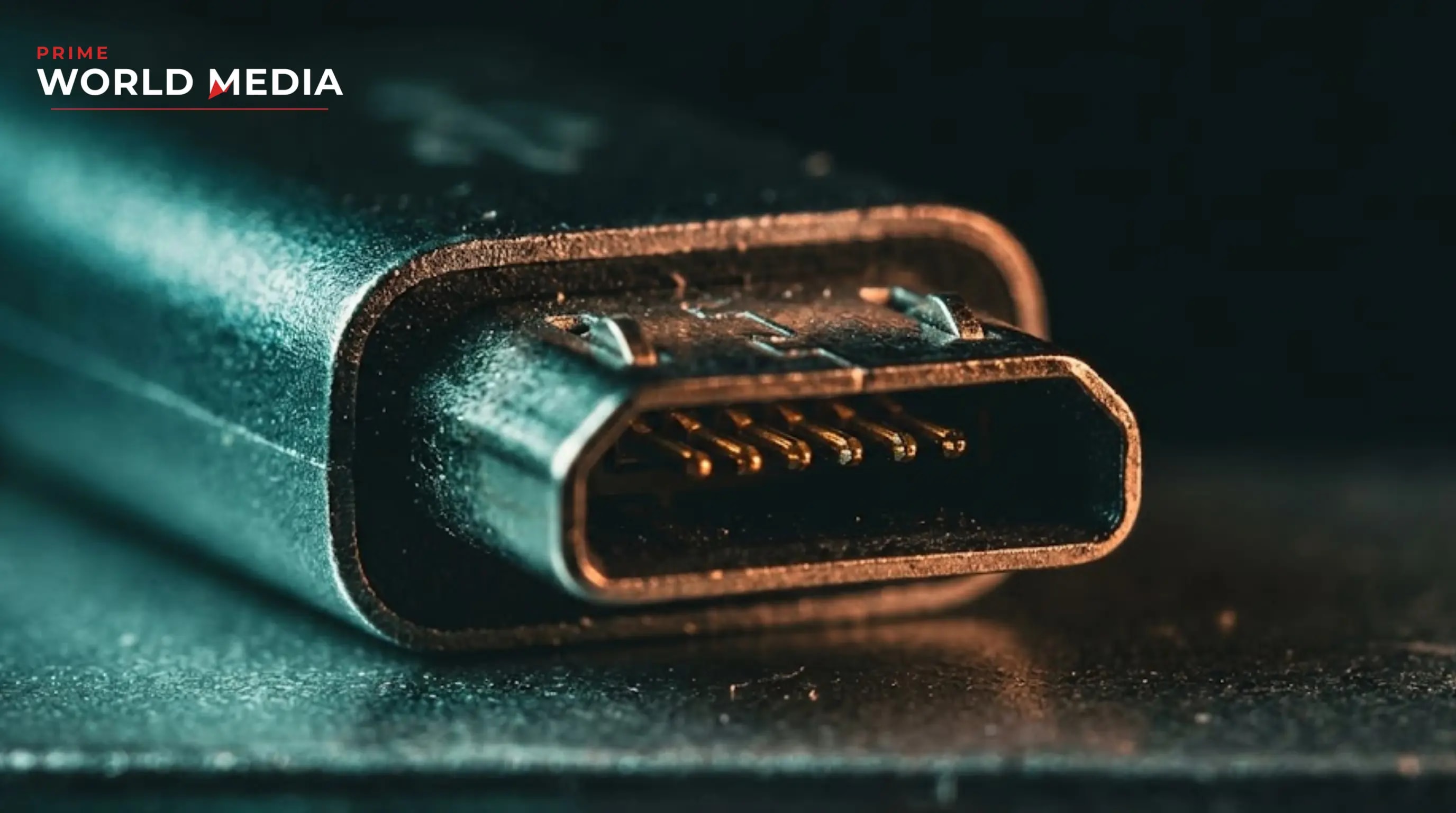
Most people dealing with Micro USB cables, chargers, and devices are getting frustrated for the wrong reasons. Not because Micro USB is inherently broken — it is not — but because they are buying the wrong cables, using the wrong chargers, and making the wrong assumptions about what the standard can and cannot do.
The difference between a Micro USB setup that charges reliably, transfers data quickly, and lasts for years and one that frays within three months, charges slowly, and stops working at the worst possible moment is almost entirely in understanding the standard. Micro USB is capable of fast charging, stable data transfer, OTG connectivity, and dependable daily use across hundreds of device categories. The technology is mature and well-understood. The gap is in knowing which cables, chargers, and devices are worth buying and which are quietly underperforming.
This guide covers everything — how Micro USB actually works, the most important buying criteria across every use case, the technical language that separates quality products from cheap failures, and the common mistakes that are costing consumers money across the UK, US, and European markets. Whether you are replacing a cable for an older Android phone in London, sourcing Micro USB chargers for industrial devices in Germany, stocking accessories for legacy electronics in New York, or simply trying to understand why your Micro USB device charges slower than it should, the information here applies directly.
Why Most Micro USB Experiences Are Worse Than They Need to Be
Before getting into what works, it is worth understanding precisely why most Micro USB frustrations are avoidable.
Buying on price alone produces unreliable results. If you search "Micro USB cable" on any major retail platform and filter by lowest price, the cables that appear are almost universally constructed with the thinnest copper gauge available, the weakest strain relief at the connector, and the most minimal shielding around the data lines. The result is a cable that works on day one and degrades progressively — slower charging as resistance increases in the thinning conductors, intermittent data connections as the internal wires begin to separate, and eventual failure at the connector neck where bending stress concentrates.
One pattern that stands out consistently across consumers who report satisfying long-term Micro USB experiences is this: cable construction quality beats brand recognition. A well-constructed cable from an unknown manufacturer — braided outer jacket, thick copper conductors, reinforced connector housing, proper strain relief — will outlast and outperform a poorly constructed cable from a familiar name every time. The specification that matters is what is inside the cable, not what is printed on the packaging.
The second frustration source is charger mismatch. Micro USB devices span an enormous range of charging requirements — from small Bluetooth accessories drawing 0.5 watts to smartphones and tablets requiring 10 to 18 watts for reasonable charge times. Plugging a high-demand device into a low-output charger does not damage the device, but it produces charge times so slow that users assume the cable or device is faulty. The cable is fine. The charger is undersized.
A good Micro USB purchasing decision generally requires understanding the device's charging requirement in watts, the cable's conductor gauge and construction quality, the charger's output current and voltage, the data transfer speed the application requires, and the physical durability needed for the use environment. This is especially important for devices that are used daily, charged frequently, or operated in demanding physical conditions.
The third frustration — and probably the most widespread — is confusion about which devices still use Micro USB in 2026 and why. USB-C has become the dominant standard across smartphones, laptops, and tablets. But Micro USB remains the active standard across a vast installed base of devices — older Android phones, Bluetooth speakers, wireless earbuds, e-readers, smart home sensors, power banks, cameras, handheld gaming devices, and thousands of categories of industrial, medical, and commercial electronics. Understanding which devices use which standard eliminates a significant portion of the buying confusion.
How Micro USB Actually Works — And Why It Matters for Buying Decisions
Every good Micro USB purchasing decision starts with understanding the standard, because the specification directly explains what a given cable or charger can and cannot do.
Micro USB implements the USB 2.0 specification in most consumer devices — a standard capable of data transfer speeds up to 480 megabits per second and charging delivery up to 5 volts at 1.8 amps, which is 9 watts of power. Some implementations support USB 3.0 through a physically wider Micro USB connector — the Micro-B 3.0 format, identifiable by its larger housing — which enables transfer speeds up to 5 gigabits per second. The standard Micro USB connector most consumers encounter daily is the 2.0 version.
This specification is why Micro USB cannot match USB-C's charging speeds for power-hungry devices. USB-C supports the USB Power Delivery standard, which can deliver up to 240 watts. Micro USB's physical and electrical design caps practical charging delivery at around 10 to 15 watts through proprietary fast-charging implementations. For smartphones, this means Micro USB charging is measurably slower than USB-C charging — a legitimate reason to prefer USB-C for new device purchases, but not a reason to abandon Micro USB devices that are otherwise functional.
Understanding this also explains why cable quality matters so much for Micro USB performance specifically. At USB 2.0 data rates and standard charging currents, a well-constructed cable performs at the specification's ceiling. A poorly constructed cable — thin conductors, high resistance, inadequate shielding — operates below the ceiling, which manifests as slower charging, intermittent connections, and data transfer errors. The cable is frequently the weakest link in a Micro USB setup, and it is almost always the element buyers invest least in.
The physical connector design of Micro USB is worth understanding because it explains the standard's primary durability limitation. The Micro USB connector is rated by the USB Implementers Forum for approximately 10,000 insertion cycles — a number that sounds large until a daily phone user charges once per day and calculates that they will hit 10,000 cycles in 27 years. In practice, connector wear is driven more by insertion angle stress, debris in the port, and cable tension during charging than by raw cycle count. Straight insertion, clean ports, and cables that do not pull at an angle extend Micro USB connector life significantly.
The Five Specifications That Separate Good Micro USB Cables From Bad Ones
Every high-quality Micro USB cable shares the same five construction characteristics — and every frustrating, short-lived cable fails on at least one of them.
The first is conductor gauge — the thickness of the copper wires inside the cable that carry current and data. Gauge is measured in AWG, where lower numbers indicate thicker wire. A 28 AWG data conductor paired with a 24 AWG power conductor is the minimum acceptable specification for a charging cable. A 28/28 cable — thin conductors throughout — will charge slowly and carry data unreliably. Quality cables state their AWG rating. Cables that do not state it are almost always the thinner variety.
The second is conductor material. Pure copper conductors carry current more efficiently than copper-clad aluminium conductors — a cheaper material that looks identical but has significantly higher resistance. The difference is not visible from the outside, but it is measurable in charge speed and heat generated by the cable during use. A cable that gets warm during charging has higher resistance than it should — and high resistance is the enemy of efficient power delivery.
The third is strain relief — the reinforced section where the cable meets the connector housing and where the cable exits the plug. This is the highest-stress point in any cable's physical structure, and it is where the vast majority of cable failures originate. Good strain relief extends the reinforced section at least 3 to 4 centimetres from the connector, uses a flexible but firm material, and allows the cable to bend in a gentle curve rather than a sharp angle at the stress point.
The fourth is outer jacket construction. A braided jacket — woven nylon or similar textile — distributes bending stress across the cable's entire length rather than concentrating it at flex points, and resists abrasion from surfaces, edges, and everyday handling significantly better than a bare rubber or PVC jacket. Braided cables cost more at every price point. They last proportionally longer.
The fifth is connector housing quality. The Micro USB plug should insert smoothly and seat firmly without play or wobble. Wobble at the connector is the most common precursor to intermittent connection failures. The plug housing should be metal or high-density plastic rather than the thin, lightweight plastic used in the cheapest cables. The difference is immediately apparent when handling quality and budget cables side by side.
Micro USB Chargers — What Output Actually Means for Your Device
Charger selection is where Micro USB performance most visibly separates informed buyers from those who accept whatever charger came in the box or was cheapest on the shelf.
Output current — measured in amps — is the primary variable that determines how quickly a Micro USB charger refills a device's battery. A 0.5-amp charger, the USB specification minimum, will charge a smartphone battery so slowly that active use can drain the battery faster than the charger replenishes it. A 1-amp charger is the practical minimum for smartphones. A 2-amp charger at 5 volts — 10 watts — charges most Micro USB smartphones at the maximum rate the standard supports without proprietary fast-charging protocols.
Proprietary fast-charging implementations for Micro USB — Qualcomm Quick Charge 2.0 and 3.0 being the most widely deployed — increase charging speed by raising voltage above the standard 5 volts while reducing current, which delivers more power within the cable's thermal limits. Quick Charge 3.0 can deliver up to 18 watts through a Micro USB connection — roughly double the standard maximum. However, both the charger and the device must support the same proprietary protocol for the faster charging to activate. A Quick Charge charger connected to a non-Quick Charge device charges at standard speed. A Quick Charge device connected to a standard charger charges at standard speed.
For UK buyers, charger safety certification is a non-negotiable consideration. Uncertified chargers — particularly very cheap ones from unverified sellers on major online platforms — have been associated with fire risk, electrical damage to devices, and personal injury. The relevant UK certification is the UKCA mark post-Brexit, replacing the EU's CE marking. For European buyers, CE marking on chargers indicates compliance with EU low voltage and electromagnetic compatibility directives. For US buyers, UL listing is the equivalent safety assurance. Buying chargers without appropriate safety certification is a risk that no price saving justifies.
For industrial and commercial applications — warehouse scanners, point-of-sale terminals, medical monitoring devices, and similar equipment — charger selection should also consider operating temperature range, ingress protection against dust and moisture, and whether the charger output is regulated tightly enough for sensitive electronics. Consumer-grade chargers are not always appropriate for professional environments.
Micro USB vs USB-C — The Comparison Every Buyer Needs to Understand in 2026
Micro USB and USB-C are not in competition for the same devices in 2026. They serve different installed bases, and understanding which standard applies to which device category eliminates most of the confusion that surrounds both.
USB-C is the current standard for new smartphones, laptops, tablets, and high-power accessories. In the EU, USB-C became a mandatory standard for new smartphones and tablets under the Common Charger Directive, which took full effect in December 2024. UK regulation has followed a broadly similar direction. New flagship and mid-range Android phones launched in 2024, 2025, and 2026 are almost universally USB-C. Apple's iPhone lineup moved to USB-C with the iPhone 15 generation.
Micro USB remains the active standard for a vast and still-growing category of lower-power devices — Bluetooth headphones and speakers, wireless earbuds, smart home sensors, IoT devices, power banks manufactured before 2023, e-readers, handheld gaming accessories, fitness trackers, and thousands of categories of commercial and industrial electronics where the transition to USB-C has not yet occurred or where the device's power requirements do not justify it.
For consumers managing a household with a mix of device generations, this means a practical cable drawer contains both standards — Micro USB for the legacy and low-power device base, USB-C for current smartphones and laptops. The adapter market — Micro USB to USB-C adapters and vice versa — provides a bridge for mixed environments, though adapters add a connection point that is a potential failure location and should not be considered a permanent solution for high-frequency use.
For businesses managing device fleets — retail, hospitality, logistics, healthcare — the Micro USB installed base represents a longer-term management consideration. Devices purchased in 2018 through 2022 are likely Micro USB. Devices purchased from 2024 onward are likely USB-C. The transition period creates a mixed-standard environment that requires both cable types in stock and introduces the risk of cable mismatch during device deployment.
Micro USB OTG — The Feature Most Users Do Not Know They Have
USB On-The-Go — OTG — is a Micro USB capability that transforms a device from a USB peripheral into a USB host, allowing it to connect to and communicate with other USB devices directly without a computer as intermediary.
A smartphone or tablet with Micro USB OTG support can connect to a USB flash drive and read files directly, connect to a USB keyboard and use it for text input, connect to a USB mouse for cursor control, connect to a USB audio interface for professional audio recording, and connect to a USB hub to expand connectivity further. The OTG adapter — a small plug that converts Micro USB to a standard USB-A female port — is the physical bridge that makes this possible.
OTG support is specified at the device level, not the cable level. Not all Micro USB devices support OTG. Checking device specifications or testing with an OTG adapter is the only reliable way to confirm support. For Android devices manufactured from 2012 onward, OTG support is common but not universal — budget devices and certain manufacturer implementations omit it.
For photographers using Android smartphones as secondary cameras or mobile editing stations, Micro USB OTG with a card reader adapter provides a direct path from SD card to phone storage that bypasses the limitations of wireless transfer. For musicians, OTG with a USB audio interface converts a Micro USB smartphone into a mobile recording platform. For productivity users, an OTG hub with keyboard, mouse, and storage connected simultaneously turns a compatible smartphone into a functional desktop replacement for light work.
Common Mistakes That Are Costing Micro USB Users Money and Frustration
The first and most common mistake is blaming the device when the cable is the problem. Slow charging, intermittent connections, and data transfer failures are the symptoms of cable degradation in the vast majority of cases — not device faults. Before concluding that a device needs repair or replacement, substitute the cable. The improvement is frequently immediate and complete.
The second is storing cables in ways that accelerate failure. Tight coiling creates memory in the cable jacket that concentrates bending stress at the same points every time, accelerating internal wire fatigue. Loose figure-eight coiling, velcro cable ties that do not compress the cable, and flat storage without tight bends extend cable life significantly. The difference between a cable stored well and one stored badly is often the difference between 18 months of use and 6.
The third is using extension cables or adapters in permanent installations without accounting for voltage drop. Every additional connection point and every metre of additional cable length adds resistance that reduces the voltage arriving at the device. A charger delivering 5.2 volts at its output can deliver as little as 4.8 volts at a device connected through a low-quality extension cable — below the threshold at which some devices will fast-charge or even charge at all.
The fourth is ignoring port cleanliness. Micro USB ports accumulate lint, dust, and debris from pockets and bags — and debris in the port prevents the connector from seating fully, which is the most common cause of the intermittent connection problem that users attribute to cable failure. A dry wooden toothpick or a purpose-made port cleaning tool removes debris without the static damage risk of metal tools. This simple maintenance step resolves a significant proportion of Micro USB connection complaints.
The fifth is buying in bulk from unverified sources to reduce per-unit cost. Bulk Micro USB cables from unverified suppliers — particularly for business or commercial deployment — carry a meaningful risk of substandard construction that is not visible on inspection and only reveals itself through accelerated failure rates in the field. The cost saving on per-unit purchase price is frequently consumed by the replacement cost and operational disruption of premature cable failure across a device fleet.
The Products Behind the Best Micro USB Experiences in 2026
Three product categories have consistently delivered the best Micro USB experiences across the UK, US, and European markets in 2026.
The reinforced braided cable with right-angle connector — nylon braided jacket, 24/28 AWG construction, 90-degree Micro USB plug that reduces port stress when devices are used while charging — has become the standard recommendation for daily smartphone and tablet use across technology communities in all three markets. The right-angle connector is the single most underrated Micro USB cable feature for users who charge and use devices simultaneously.
The multi-port USB charger with Quick Charge output — a wall charger providing two to four USB-A outputs, at least one of which supports Quick Charge 3.0 at 18 watts, with overall output of 30 to 65 watts for simultaneous multi-device charging — is the most practical charging solution for households and offices managing multiple Micro USB and mixed-standard device collections. Single-device chargers are an increasingly inefficient use of wall socket space.
The certified USB OTG hub — a Micro USB OTG adapter with multiple downstream USB-A ports, a card reader slot, and a passthrough charging port — is the productivity accessory that most Micro USB device users do not know they need until they have used one. For Android tablet users in particular, it converts a portable media device into a functional productivity workstation without any software modification.
Getting the Most Long-Term Performance From Micro USB Devices and Cables
Micro USB port longevity is largely a function of insertion habits — and insertion habits are almost entirely within the user's control.
Insert the connector straight — not at an upward, downward, or sideways angle. Micro USB connectors have a defined orientation and a physical stop point. Inserting at an angle and pushing past light resistance is the most common cause of port damage. If the connector does not seat smoothly with light pressure, check port cleanliness before applying additional force.
Use a cable management solution that prevents the cable from pulling at the connected device under tension. A cable that runs across a desk and hangs off the edge applies constant lateral stress to the Micro USB port in whatever direction the weight pulls. A cable clip, magnetic cable holder, or simple repositioning of the charging location eliminates this stress entirely.
Check cables for damage at the strain relief points monthly — particularly for cables used daily. The earliest signs of internal wire damage are visible as jacket cracking, kinking that does not spring back, or slight discolouration from heat at the connector. Replacing a cable at the first signs of damage is significantly cheaper than replacing a device whose port has been damaged by a degraded cable shorting internally.
The Direction Micro USB Is Moving in 2026 and Beyond
Micro USB is a mature standard in managed decline for consumer electronics — and managed decline, properly understood, is not the same as obsolescence. The standard will remain in active use across a vast installed base of devices for the remainder of this decade and into the next. The IoT device category alone — smart home sensors, environmental monitors, wearable electronics, and connected accessories — represents hundreds of millions of Micro USB devices that will require cables, chargers, and accessories for years to come.
The practical accessory ecosystem for Micro USB in 2026 is better than it has ever been in one specific sense: because the standard is no longer being developed, the cable and charger market has converged on a set of well-understood quality tiers. The best Micro USB cables available today are better constructed than the best cables available five years ago, because manufacturers understand the failure modes thoroughly and have had time to engineer against them.
The transition to USB-C for new consumer devices is real, irreversible, and largely complete in the smartphone category. For the device categories where Micro USB persists — low-power accessories, legacy electronics, industrial and commercial devices, IoT hardware — the standard will remain the practical choice for the foreseeable future. Buying quality Micro USB accessories for these devices is not a compromise with obsolescence. It is a sensible investment in the longevity of functional, valuable hardware.
The gap between what most Micro USB users experience and what is possible with the same devices and better-chosen cables and chargers is larger than most people realise. The information in this guide closes most of that gap. The rest is buying once at the quality level that lasts, maintaining the port and cable correctly, and understanding clearly what the standard can and cannot do — so that when it cannot do something, you know it is a specification limit rather than a fault.